InstructionsIntroduction Designing a Form Form Builder
Adding a New Entry View Entries on Map
|
IntroductionEpiCollect is a generic data collection tool that allows you
to collect and submit geotagged data forms (along with photos)
to a central project website (hosted using Googles AppEngine)
from suitable mobile phones (Android or iPhone). For example,
questionnaires, surveys etc. All data
synchronised (ie a copy sent from the phone) from multiple
phones can then be viewed / charted / filtered at the project
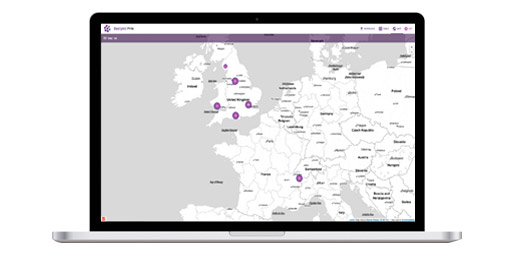
website using Google Maps / Earth or downloaded.
Demonstration Project Within the EpiCollect mobile app we have included a demonstration project so you can get an idea of the kinds of data that could be collected. The demo project conatins a simple questionnaire containing the following questions:
You can collect and submit as many geotagged entries as you like (along with photos) and explore the data you and others have submitted at the project website located here: http://www.epicollect.net/project.html?name=demoproject
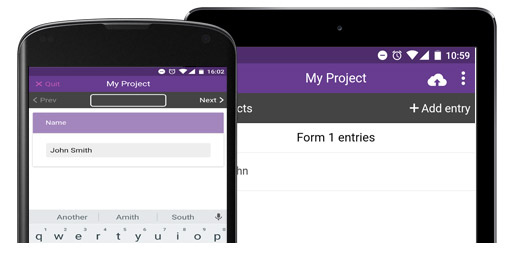
Creating your own Project(s) You can also create your own project(s). Basically, any kind of form field can be used, and each entry can be geotagged (using the phones GPS) and a photo attached (using the phones camera). You can collect multiple entries on a single phone and all data are stored within the phones database and can also be synchronised with a project website. You can go right ahead and install the EpiCollect App on your phone and submit data to the demo project (see the instructions for the type of phone you are using on the left hand menu). However, to create and load your own project you will need to run through a number of steps as follows:
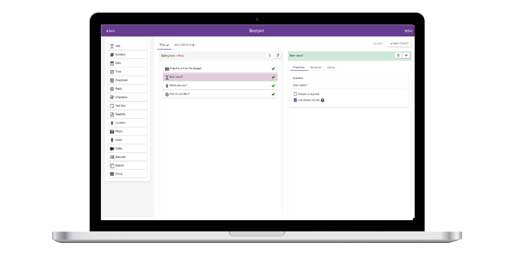
Briefly, the workflow for setting up a project and undertaking data collection is as follows: 1. Create a Project website at EpiCollect.net 2. Using the drag 'n' drop form builder design a Form containing the kind of textual data you want to collect. 3. Load the Project into the EpiCollect app on your phone (and share your project with anyone else you wish to collect data) 4. Collect multiple sets of geotagged data, with (or without) photos. 5. Synchronise data from your phone with your project website. 6. View data using Google Maps and Google Earth at your Project Website, or on your phone (Google Maps only).
The Instruction pages (links on the left of this page and linked in order at the bottom of the page) demonstrate the process of building your own version of EpiCollect and we use the demo project to run through the process. The first thing you will need to do is create a project.
|