Instructions
Introduction
Creating a Project
Designing a Form
Form Elements
Text Field
Long Text
Select One
Select Multiple
Form Builder
Text Field
Long Text
Select One
Select Multiple

Loading a Project
Adding a New Entry
Using GPS
Adding a Photo
Entering Form data
Listing Entries
Synchronising Entries
View Entries on Map
Local Entries
Remote Entries
Filtering Entries
Loading a
Project
Adding a New Entry
Listing Entries
Synchronising Entries
View Entries on Map
Settings

Project Website
Viewing Data
Mapping Interface
Data Points
Chart View
Filtering Data
TIme Slider
Chat Panel
Google Earth
Customising |
Designing a Form - Form Elements
 |
All entries collected with EpiCollect can include the GPS location and a photo, however in order to collect the kind of text data you require for your project you need to design a FORM which, when you load your project into a phone, will specify the text data that can be entered.
A form consists of any number of FORM ELEMENTS and the types of elements you can use within your form are as follows: |
Form Elements
| Text Input |

|
A text input element is most relevant for short entries where the answer to a question is uncertain - for example 'What is your name?', 'What is your age?' or 'How many birds can you see?' are the kinds of questions.
A Text field may contain text or numerical data and when you design your form you can specify if you want only numerical data to be allowed.
|
| Long Text |
 |
A Long Text element is relevant for
answers to questions which require a little more text
than those for a standard text input element. Notes or
a description as an answer to a question would use Long
Text Elements (e.g. 'Sunny day, humid with some cloud').
|
| Select One |
 |
Similar in principle to a multiple-choice question, a Select One element is used when you have a limited number of possible answers to a question and you wish only one to be selected as an answer. For example 'What type of ...?' How do you get to work?' 'What colour is...?' etc. are the kinds of questions where you can specify a fixed number of possible answers.
|
| Select Multiple |
 |
A Select Multiple element can be used where you want to specify the choices to a question but you also want to be able to select more than one answer.
'Which of the following...?' is the kind of question that a Select Multiple element could be used for.
|
| |
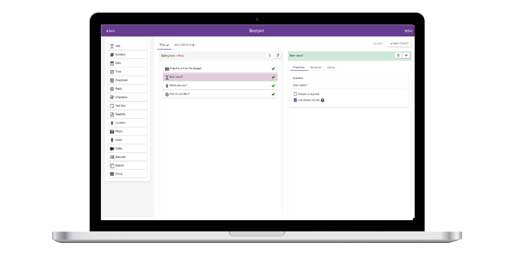
You may specify as many of each type of element as you require within your form and to allow you to build a form we have implemented a drag 'n' drop Form Builder allowing you to choose your form elements online.
For instructions please click here or click on 'Form Builder' from the menu on the left of the screen.
|