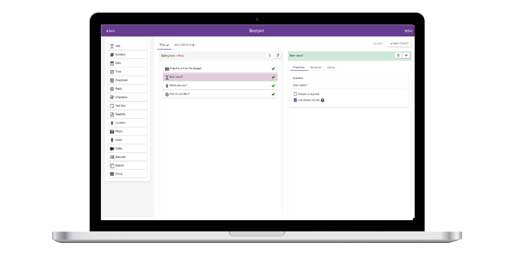
InstructionsDesigning a Form Form Builder
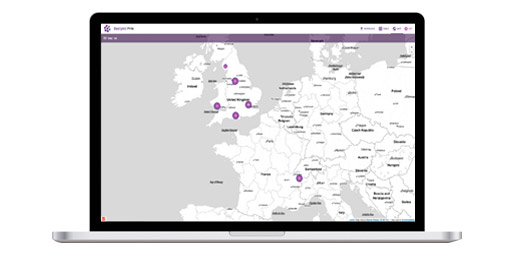
Adding a New Entry View Entries on Map
Project Website Customising Viewing Data Mapping Interface Chat Panel Google Earth |
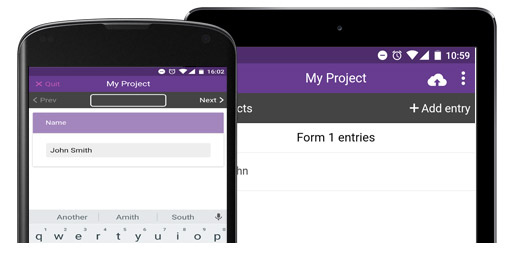
IntroductionEpiCollect.net provides a web application for the generation of forms and freely hosted project databases (using Google's AppEngine) for many kinds of mobile data collection projects. Data can be collected using multiple mobile phones running either the Android Operating system or using the iPhone and all data can be synchronised from the phones and viewed centrally via the Project website.
Briefly, the workflow for setting up a project and undertaking data collection is as follows: 1. Create a Project website at EpiCollect.net 2. Design a Form containing the kind of textual data you want to collect. 3. Load the Project onto your phone (and share the project with anyone else you wish to collect data) 4. Collect multiple sets of geotagged data, with (or without) photos. 5. Synchronise date from your phone with the project website. 6. View data using Google Maps and Google Earth at your Project Website, on your phone (Google Maps only).
EpiCollect.net allows you to setup a PROJECT website which acts as a central location for the viewing of data collected via mobile phones. On the phones We refer to each set of data stored on the phone as an ENTRY. Each entry can consist of any number of text fields - the kinds of text fields you would normally enter into an online form (e.g. free text, list boxes, check boxes etc). The number and nature of text fields are defined as a FORM. For each entry, form data is entered on the phone and each entry can be geotagged using the phones in-built GPS (Global Positioning System). Additionally you can attach a PHOTO to each entry using the phones in-built camera. The following pages demonstrate the process of building your own version of EpiCollect - Cli |